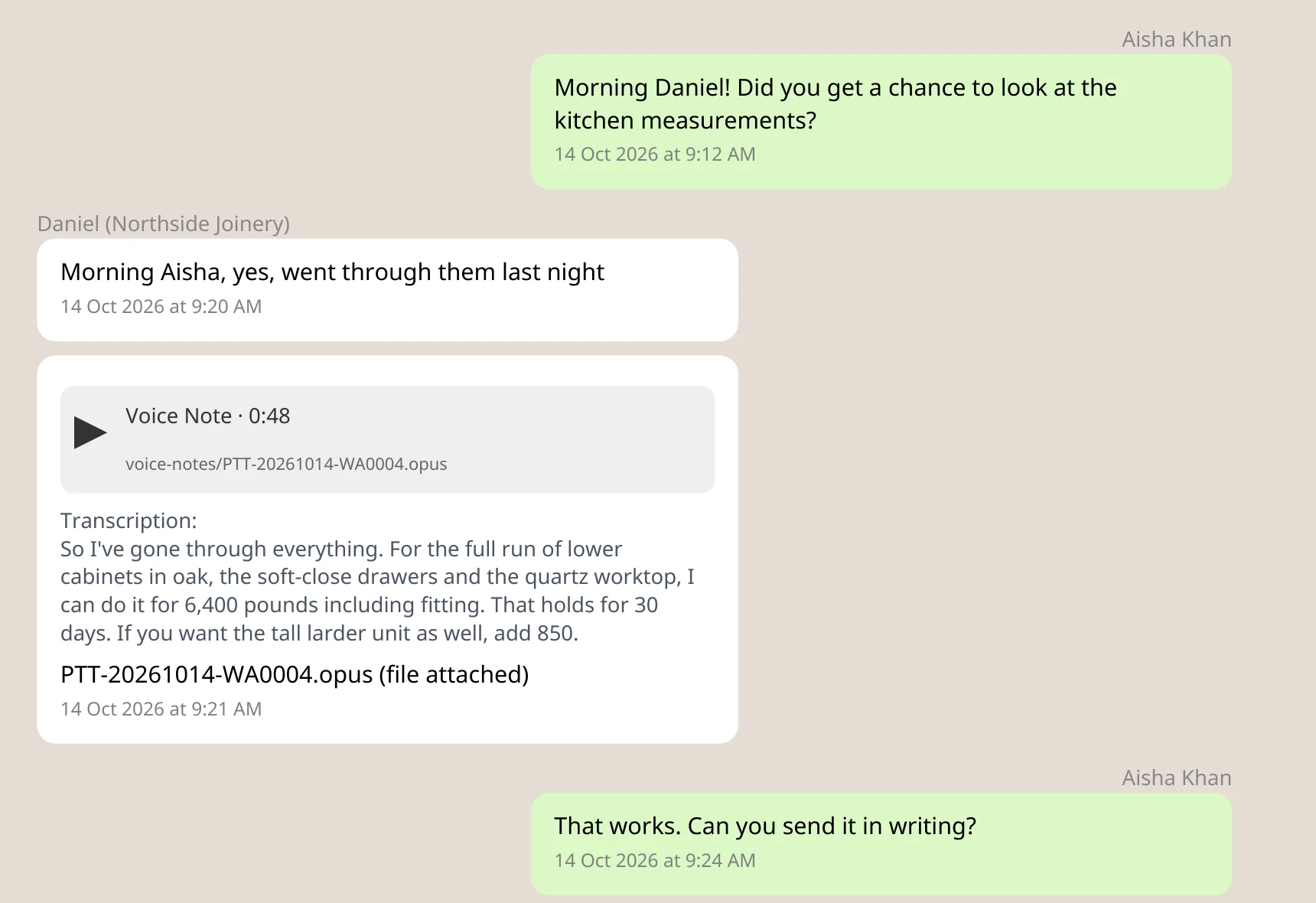
Why voice notes are the hard part of a WhatsApp chat
In many WhatsApp conversations, the important parts are in voice notes. Agreements, instructions, explanations and arguments are spoken rather than typed. When you export the chat, those voice notes become separate .opus audio files, and the chat text only shows a placeholder such as PTT-20260412-WA0007.opus (file attached).
So the export has a gap where the spoken half of the conversation should be. You can't search it, skim it, quote it or print it. Someone reviewing the chat has to open every file and listen.
What WhatsApp's built-in transcription does (and doesn't do)
WhatsApp has a voice message transcript feature. It's useful when you're reading a chat on your phone, but it isn't built for keeping a record:
- One message at a time. You long-press a voice note and ask for its transcript. Nothing transcribes the whole chat.
- Limited languages, especially on Android.
- Not included in exports. Transcripts you've generated on your phone don't appear in the exported
.txtfile.
If you need the whole conversation as text, with the spoken parts included, the transcription has to happen on the export.
How WhatsApp Transcriptor handles voice notes
- Export the chat with media. In WhatsApp, use Export chat → Include media, so the voice notes are inside the ZIP. (Step-by-step export guide)
- Upload the ZIP. We read the conversation and find every voice note, then match each one to the message where it was sent.
- Pick the language and the range. Choose the main spoken language (around 50 are supported) and, if you only need part of a long chat, a date range.
- Review before you pay. Preview the conversation, see how many minutes of audio there are, and see the price.
- Listen and edit. Each transcript is shown next to a player for its voice note. Correct names, numbers and anything the audio made unclear.
- Download. You get a PDF in which every voice note appears in the conversation with its transcript beneath it, plus the original audio files.
What the transcript looks like in the PDF
Voice notes stay where they were sent. They're not collected in an appendix at the back. A reader sees the sender, the date and time, the length of the voice note, and the transcribed text, between the typed messages before and after it. Because the transcript is real text in the PDF, Ctrl+F finds words that were only ever spoken.
The original audio comes with the export in a voice-notes/ folder, so anyone who wants to check a transcript against the recording can.
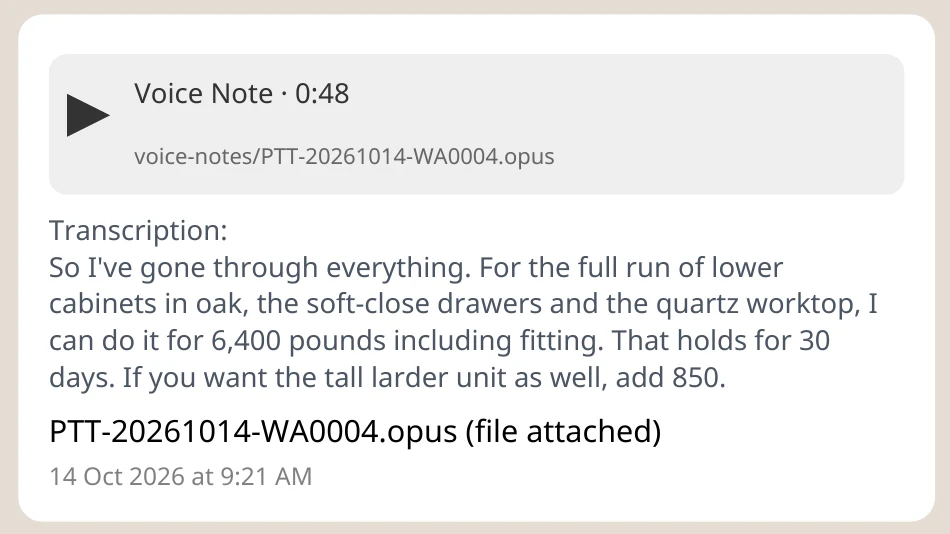
Where it was said. The voice note stays in the conversation, with the sender, time and length.
What was said. The transcript is real text, so it can be searched, copied and quoted. You can edit it before export.
The proof. The original audio file is named in the bubble and included in the voice-notes/ folder.
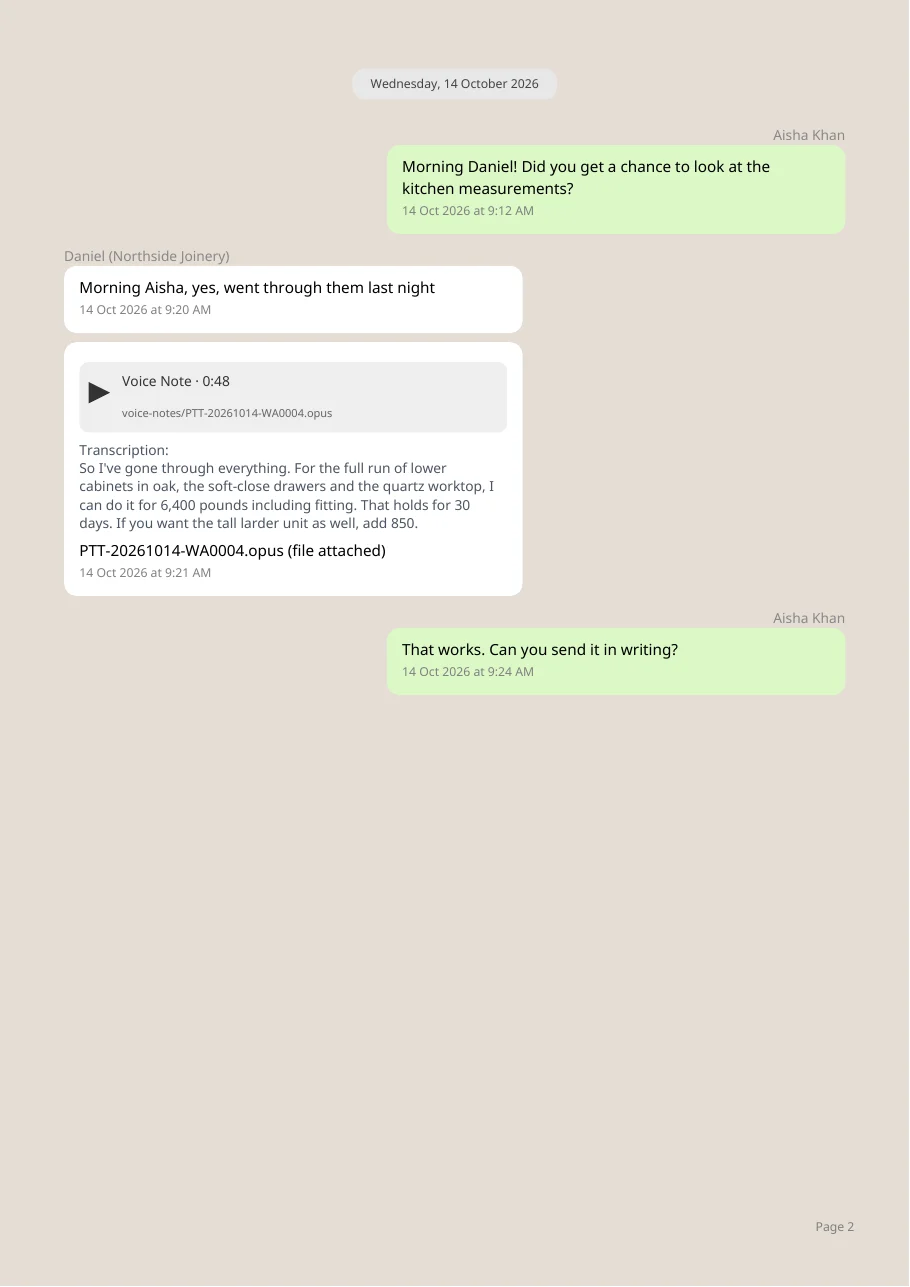
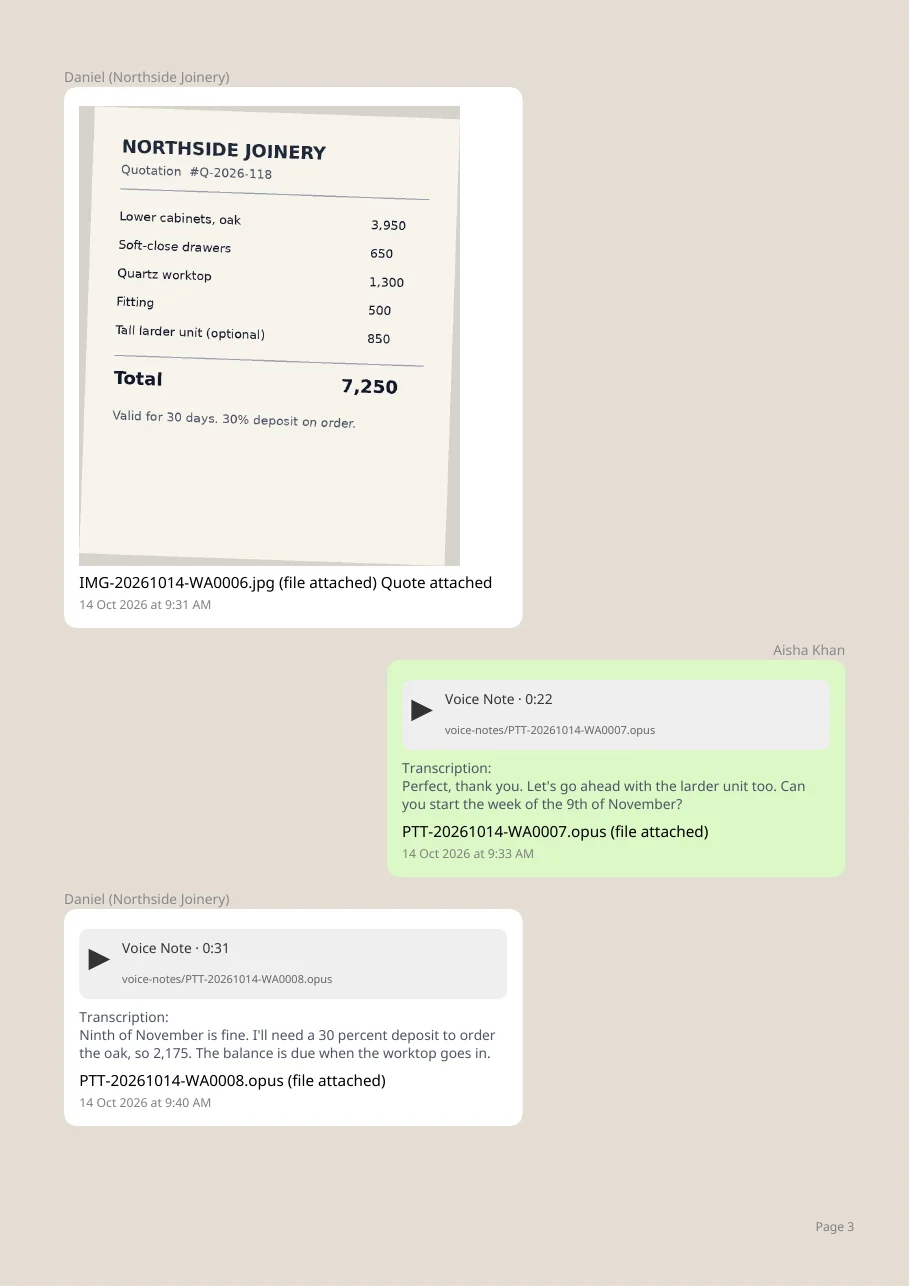
Accuracy: why the review step exists
Automatic transcription is very good on clear speech and weaker on background noise, overlapping voices, heavy accents, names, and languages mixed within one message. That's why you review the text before the final export. For a personal archive, a quick skim is usually enough. For anything you'll rely on, such as a dispute, a client record or a legal matter, listen to each voice note and correct it. You're the one who knows who "Bilal from the warehouse" is.
Languages
Choose the main language spoken in the voice notes when you upload. Around 50 languages are supported, including English, Portuguese, Spanish, Arabic, Urdu, Hindi, French, German, Italian and Turkish. Right-to-left scripts such as Arabic and Urdu are rendered correctly in the PDF.
Pricing
You pay once per chat: a flat fee for the export, plus a per-minute rate for the voice-note audio. Partial minutes round up. There's no subscription. The exact total is shown after upload, before you pay. See pricing.
FAQ
Can I transcribe all WhatsApp voice notes in a chat at once?
Yes. Export the chat with media, upload the ZIP, and every voice note in it is transcribed in one pass. You don't have to open or forward them one by one.
Do I need to send voice notes to a bot or forward them anywhere?
No. You export the chat from WhatsApp yourself and upload the ZIP file. Nothing is forwarded, and nobody else in the chat is notified.
Can I edit the transcription?
Yes. Before the final export you can play each voice note and edit its transcript. The PDF uses your corrected text.
Does it work for group chats?
Yes. Group exports keep participant names, timestamps and message order, and each voice note is attributed to the person who sent it.
What if my export doesn't include the voice notes?
Then the chat was exported without media. Export it again and choose Include media (Android) or Attach Media (iPhone). Note that WhatsApp only includes media for the most recent part of very long chats.
Is WhatsApp Transcriptor affiliated with WhatsApp?
No. It is an independent service and is not affiliated with, endorsed by or sponsored by WhatsApp LLC or Meta Platforms, Inc.