A raw WhatsApp export isn't a document
WhatsApp's Export chat gives you a ZIP containing _chat.txt and loose media files. It's complete, but nobody wants to read it. Lines run together, photos are just file names, voice notes are just audio files, and there are no pages to print or refer to. Taking hundreds of screenshots instead is slow, loses context between screens, and is easy to dispute.
A PDF turns the export into a single document you can read, search, print, share and file.
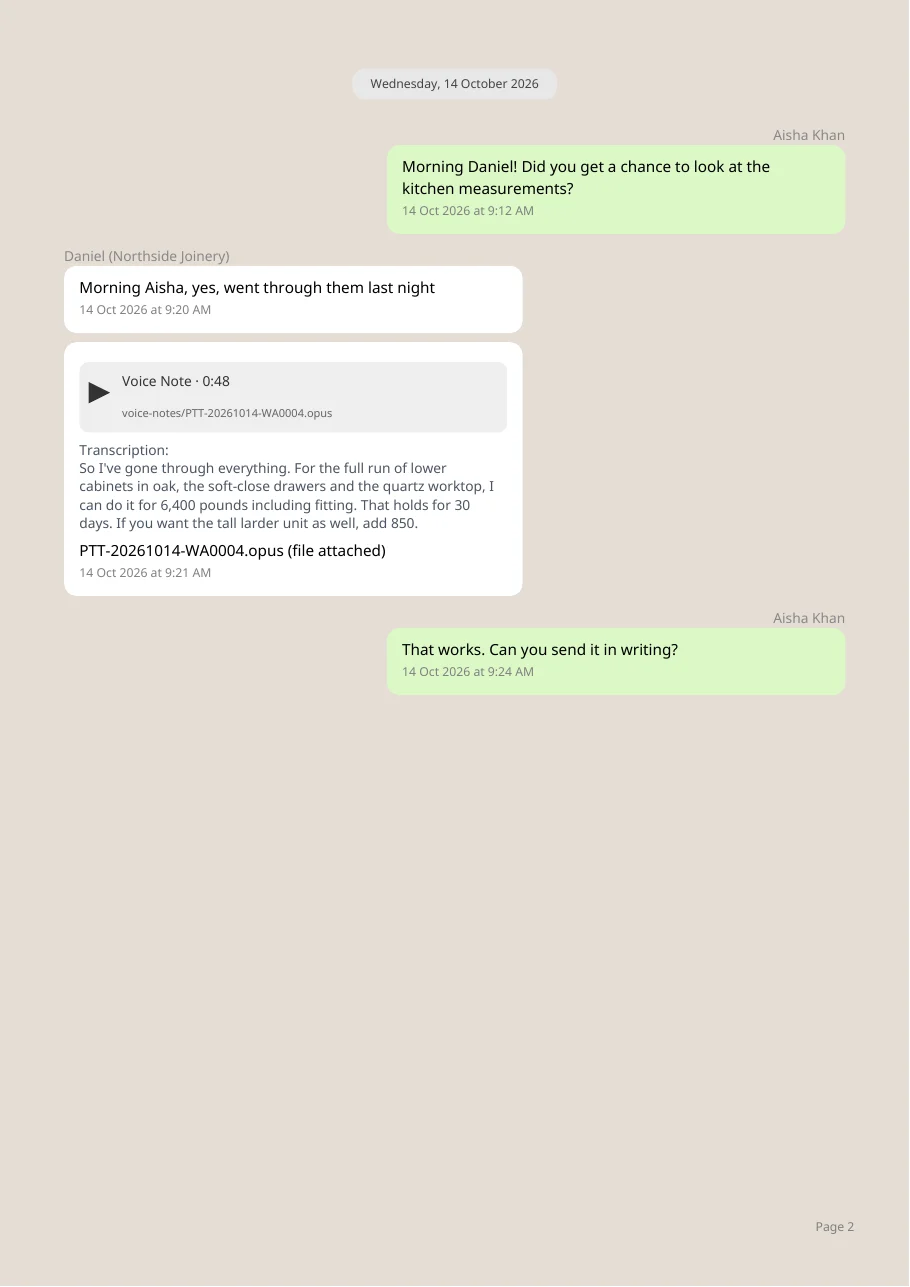
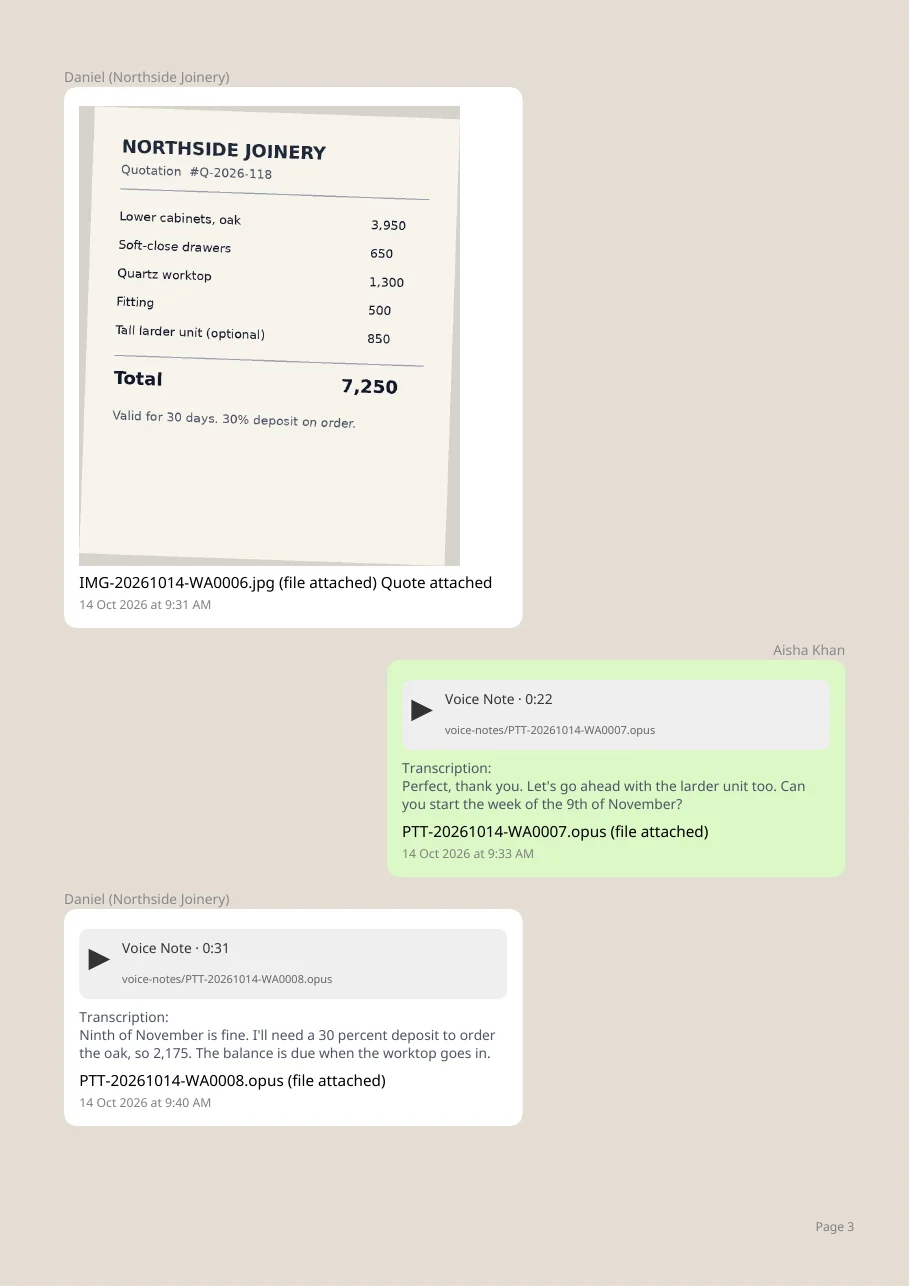
The price, the deposit and the start date are all in voice notes, so they're missing from the text.
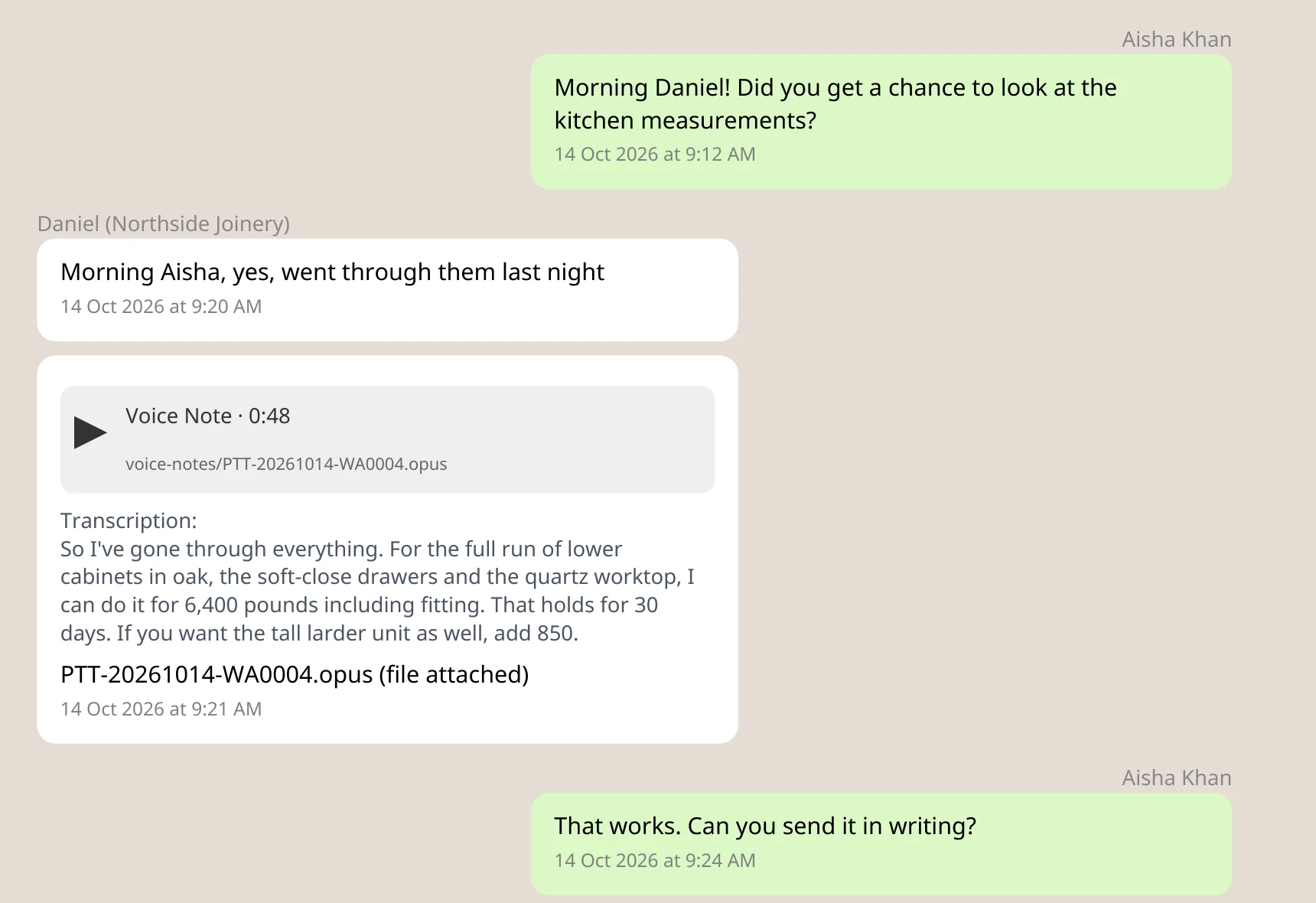
The same moment as a readable, searchable page, with the £6,400 quote transcribed in place.
What's in the PDF
- The whole conversation in order, with sender names and the date and time of every message, laid out as chat bubbles so it's easy to follow.
- Real, searchable text. The text isn't an image of the chat, so
Ctrl+Fand document search tools work. You can copy and quote from it. - Photos shown where they were sent. Documents, videos and other attachments are listed in place and included in the package.
- Voice notes transcribed. Each voice note is shown with its length and its transcript, so the spoken parts can be searched too. How voice-note transcription works.
- Clean page layout with consistent formatting across hundreds of pages, and support for right-to-left languages such as Arabic and Urdu.
More than a PDF: the full export package
The download is a ZIP that also contains:
Your download
manifest.json (excerpt)
If a file is changed after the export, its checksum no longer matches the manifest.
Nothing in the package depends on links to our servers, so it still works years from now on any computer.
How to convert a WhatsApp chat to PDF
- Export the chat from WhatsApp. On iPhone, tap the contact or group name, then Export Chat. On Android, open the ⋮ menu, then More → Export chat. Choose to include media if you want photos and voice notes. Full export guide.
- Upload the ZIP here. Exports up to 5 GB are supported.
- Choose whose phone it is, so your messages appear on the right as they do in WhatsApp, and optionally limit the export to a date range.
- Preview, then pay. You see the conversation and the exact price before paying anything.
- Download the PDF and the package.
Group chats and long chats
Group chats keep every participant's name, and messages stay in order. Long chats are fine too: the PDF is paginated, and you can limit the export to the dates that matter. WhatsApp itself limits exports to the most recent messages (roughly 40,000 without media and fewer with media), so very old messages may not be in the file WhatsApp gives you.
Privacy
Your upload is tied to your account. The original ZIP is used for processing and then deleted. Finished exports are available to download for a limited time and are then removed, so the copy you download is the one that lasts. Read the privacy policy for details.
FAQ
Is the PDF searchable?
Yes. Messages and voice-note transcripts are real text in the PDF, not images, so you can search, select and copy them.
Are photos included in the PDF?
Photos are shown in the conversation where they were sent, as long as you exported the chat with media. Other attachments are included in the download package.
Can I convert a WhatsApp group chat to PDF?
Yes. Group exports keep each participant's name next to their messages.
Do I need to install anything?
No. You export the chat with WhatsApp's own feature and upload the ZIP in your browser.
Can I export only part of a chat?
Yes. Choose a start and end date after uploading to limit the export to that period.
Do I need a subscription?
No. You pay once per chat, and you see the price before paying.